Choosing the best self-custody wallet for TRON/TRX comes down to how you use the network. Some wallets prioritize hardware security for long-term holders, while others focus on TRON-native features like staking, governance, and DeFi.
If you manage assets across multiple blockchains, a multichain wallet may be the better fit. In this guide, we compare the best self-custody wallets for TRON/TRX in 2026, breaking down their security, features, and ideal use cases so you can choose the right wallet for your needs.
Quick Answer: The Best Self-Custody Wallets for TRON/TRX
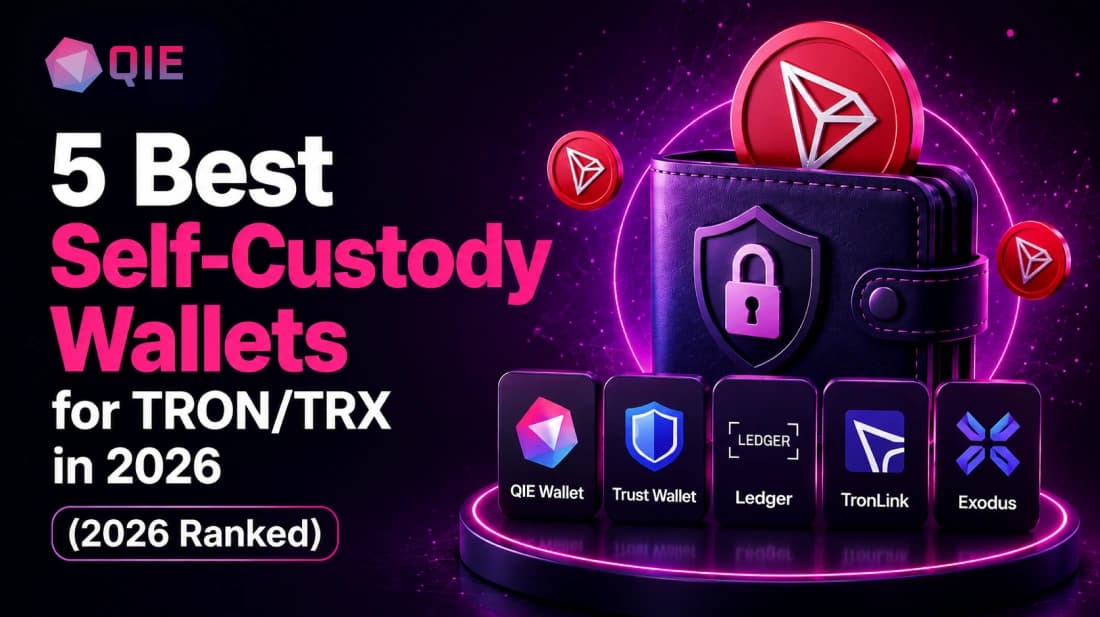
If you just want the shortlist, here it is. All five hold your private keys directly, and each fits a different type of TRON holder:
The Shortlist
- QIE Wallet: best for holders who want TRX and other assets under one identity
- Trust Wallet: best mobile UX for everyday TRON DeFi
- Ledger: best hardware security for long-term TRX holdings
- TronLink: best for TRON-native depth, energy management, and governance
- Exodus: best design-first desktop option for TRX portfolio tracking
What Makes a TRON Wallet Truly Self-Custodial, and Why It Matters for Your Security
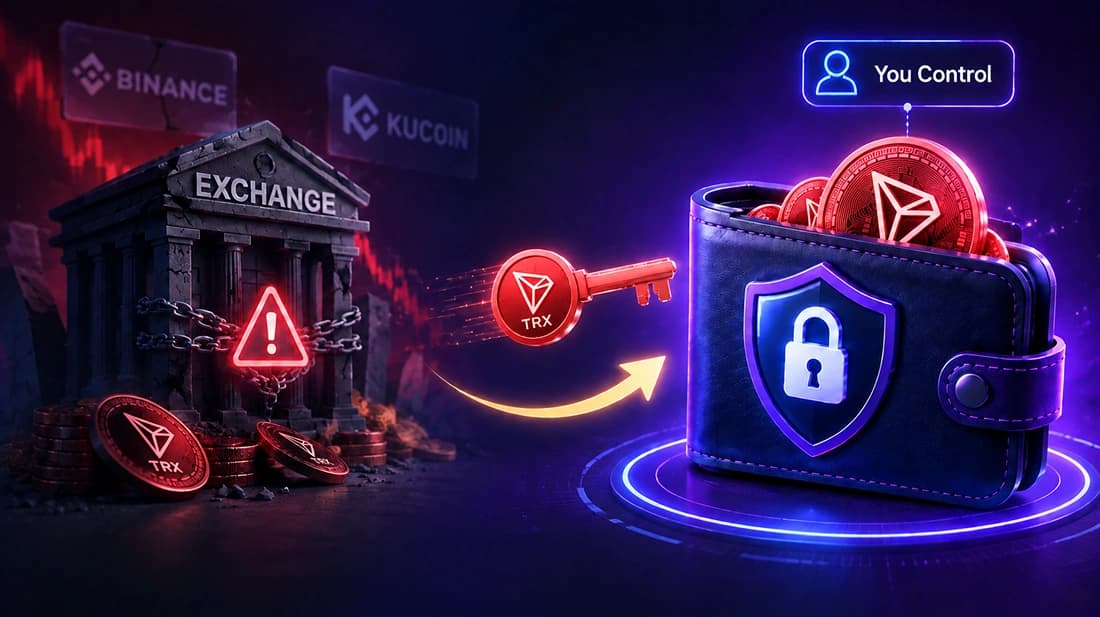
A self-custody wallet gives you exclusive control of your private keys, meaning no exchange, company, or third party can freeze, seize, or lose your TRX on your behalf. Self-custody, in practical terms, is a wallet architecture where the private key and the 12- or 24-word seed phrase that generates it live only on your device, never on a company’s server.
The distinction matters more on TRON than most people expect. The TRON blockchain processes roughly 8 million transactions per day and holds more USDT than any other chain, about $86 billion as of April 2026. That volume makes TRON wallets a high-value target.
When an exchange holds your keys, you hold an IOU, and the 2022–2023 exchange failures pushed most on-chain users toward self-custody for exactly that reason.
The honest trade-off: self-custody shifts responsibility entirely to you. Lose your seed phrase and no support team can recover your funds. That’s the design, not a flaw. A self custody wallet eliminates counterparty risk but demands that you treat your seed phrase like a physical asset, stored offline and never photographed.
How Do the Top Self-Custody Wallets Stack Up for TRON Holdings and DeFi Access?
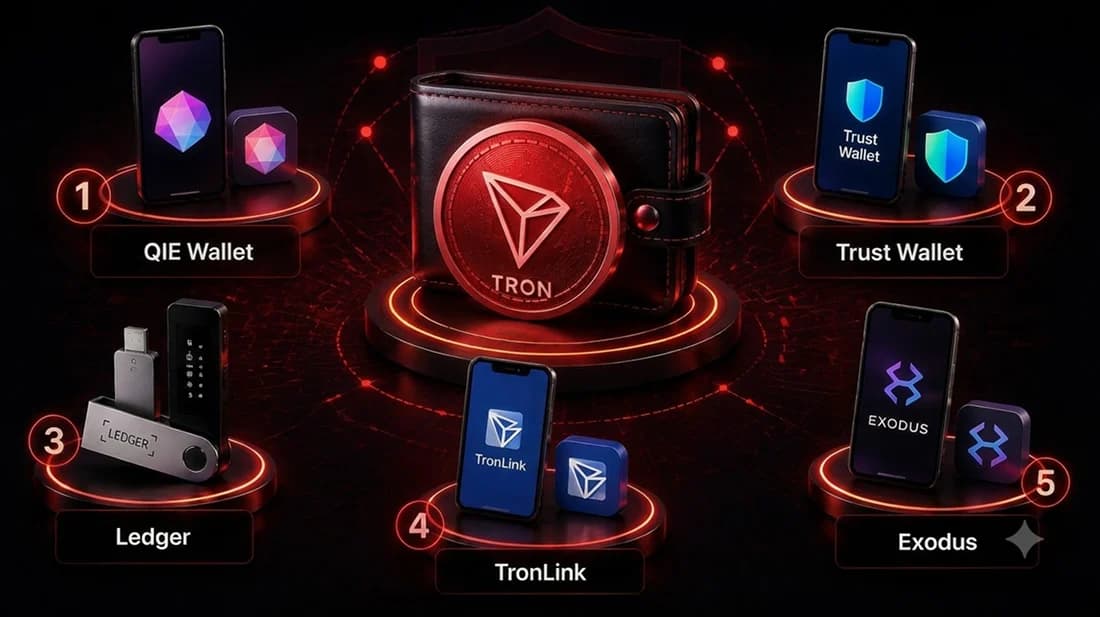
The five wallets below cover every serious TRON use case. Each earns its place for a specific type of user, and none is universally "best."
1. QIE Wallet: Best for TRX Plus Multichain Identity
QIE Wallet is a non-custodial wallet that generates your private key on-device and backs everything up with a single 12-word BIP-39 phrase. It supports TRX natively alongside Bitcoin, Ethereum, Solana, XRP, and other EVM chains, so one seed phrase covers your entire portfolio instead of a separate setup per chain.
What sets it apart on TRON specifically is the identity layer. QIE Wallet connects to dApps, and its reusable decentralized identity, QIE ID, lets you verify once and carry that identity across partner exchanges and applications.
Every user also gets a free QIE ID, a human-readable payment address that replaces the long TRX string you’d otherwise copy-paste. Built-in swap and network-adding features let you move between TRX and other assets without leaving the app, and staking QIE unlocks discounts and free subscriptions to partner apps.
Pro: Single seed phrase across TRX, BTC, ETH, Solana, XRP, and EVM chains; free QIE ID gives you a human-readable address and eliminates repeated verification.
Con: No native TRON resource management like TronLink offers, so QIE Wallet doesn’t surface Energy/Bandwidth allocation or Super Representative voting directly. Heavy TRON DeFi users doing daily JustLend or SunSwap activity may still want TronLink alongside it for that visibility.
2. Trust Wallet: Superior Mobile UX for Multichain Users
Trust Wallet claims more than 220 million users and a 35% monthly active user market share, making it the largest self-custody wallet in crypto. That scale reflects something real: its mobile experience is genuinely hard to beat for everyday TRON use.
The wallet offers a built-in dApp browser, integrated swaps with no internal fees, and fiat on-ramps through credit card, Apple Pay, and Google Pay. TRX staking is available directly within the app, and it handles multiple network standards cleanly, letting you move between TRON, Ethereum, and BNB Chain without switching apps.
The gap is in identity. There’s no portable verified identity layer, so every new dApp or partner service requires you to repeat verification from scratch.
Pro: Built-in dApp browser, no-fee swaps, one-tap TRX staking, broad multichain support.
Con: No portable identity layer; energy management is abstracted away, which costs unoptimized fees for active DeFi users.
3. Ledger: Hardware Security for Long-Term Holders
Ledger’s reputation in the hardware security niche is well-earned. Ledger Stax uses a CC EAL6+ certified secure element, keeping private keys fully isolated inside the device. For TRX holdings you don’t plan to move frequently, that offline isolation is the strongest protection available.
Ledger Live has integrated TRX staking through Yield.xyz, allowing users to stake TRX directly from their hardware wallets and engage with TRON’s Delegated Proof of Stake system without navigating validator elections or reward cycles manually. Buying, swapping, and staking TRX all happen within one interface.
The friction is real, though. Connecting to TRON DeFi protocols like JustLend or SunSwap requires routing through TRONSCAN rather than a native in-app browser, and mobile-first users find those extra steps genuinely annoying.
Pro: CC EAL6+ certified secure element, fully offline key storage, integrated staking via Ledger Live.
Con: DeFi access requires routing through TRONSCAN rather than a native browser; less convenient for frequent transacting.
4. TronLink: The TRON-Native Specialist
TronLink fully supports the TRON network, including TRX, TRC-10, TRC-20, and TRC-721 tokens. Built specifically for the TRON ecosystem, it treats energy management, voting, and dApp connectivity as first-class features rather than afterthoughts.
TronLink connects users to 500+ TRON dApps with native energy management that reduces transaction costs significantly compared to standard TRX fee payments.
Per the TRON Resource Model documentation, staking TRX to obtain Energy rather than paying fees in TRX can eliminate smart contract execution costs entirely when your Energy pool is sufficient. For anyone active in TRON DeFi, that cost difference compounds quickly across daily transactions.
Pro: Deepest TRON-native tooling available, full energy/vote visibility, 500+ dApp connections.
Con: TRON-only focus means you need a separate wallet for Bitcoin, Ethereum, Solana, or other assets.
5. Exodus: The Design-First Desktop Option
Exodus supports 300+ cryptocurrencies and thousands of tokens across more than 50 blockchain networks, available in both desktop and mobile formats, with seamless in-app token swaps and full user control over holdings.
The honest limitation: Exodus does not support TRC-10 tokens, and its Web3 Wallet extension does not support the TRON network. It’s a polished portfolio manager for TRX holders who aren’t chasing DeFi yields.
Pro: Clean, design-first interface; broad multichain portfolio tracking; Ledger hardware integration available.
Con: No Web3 extension support for TRON, so connecting to SunSwap or JustLend requires a separate wallet entirely.
Self-Custody TRON Wallets Compared
| Wallet | Staking UX | Hardware Security | Mobile-First |
|---|---|---|---|
| QIE Wallet | Only built-in QIE staking, no native Energy/Bandwidth view | Software only | Yes |
| Trust Wallet | In-app, simple | Software only | Yes |
| Ledger | Ledger Live (Yield.xyz) | CC EAL6+ offline | Limited |
| TronLink | Full energy/vote control | Software only | Yes |
| Exodus | Basic freeze/unfreeze | Ledger integration | Desktop-led |
Which Wallet Features Actually Matter for TRON Staking and Yield Farming?
The most important feature for TRON staking isn’t APY. It’s energy visibility, and most users get this wrong.
On TRON’s Delegated Proof of Stake network, staking TRX lets you vote for a Super Representative and receive voting rewards. It also grants TRON resources (Energy or Bandwidth) that reduce or eliminate transaction fees.
Per the TRON developer documentation, staking 1 TRX yields 1 TRON Power (TP), the governance and resource unit that drives both voting and fee reduction. The choice between allocating that stake to Energy versus Bandwidth is the decision most wallets hide from you, and it’s the one that determines whether your DeFi interactions cost fractions of a cent or burn TRX unexpectedly.
Energy vs. Bandwidth: A Worked Example
To make that choice concrete, here is how the allocation plays out across three common situations. Note that 1,000 TRX staked yields approximately 1,000 TP, and your Energy pool regenerates to full in 24 hours per the TRON Resource Model.
| Scenario | Recommended Allocation | Why |
|---|---|---|
| Daily DeFi (5+ smart contract calls/day) | Stake to Energy | Smart contracts consume Energy; Bandwidth only covers TRX transfers |
| Passive staking + occasional transfers | Split 70/30 Energy/Bandwidth | Covers both use cases without burning TRX on fees |
| Long-term hold, rare movement | Bandwidth sufficient | No smart contract calls means your Energy pool sits idle |
What Are the Most Common Mistakes People Make When Choosing a TRON Self-Custody Wallet?
The biggest mistake is misunderstanding what you’re actually choosing between.
Confusing Exchange Wallets with Self-Custody
Plenty of users believe they hold TRX in self-custody because they see a balance in an app. If you didn’t write down a seed phrase during setup, you’re using a custodial account.
The test is simple: can you restore your wallet on a new device using only a 12-word phrase you control? If not, you don’t hold the keys.
Choosing a Wallet Without TRON DeFi Support
Take Exodus as a concrete example. The desktop wallet manages TRX and TRC-20 tokens well, but TRON is unsupported in the Exodus Web3 browser extension, which means connecting to SunSwap or JustLend requires a separate wallet entirely.
Someone who chose Exodus expecting full DeFi access discovers this gap only when they try to connect. At that point, migrating to TronLink means setting up a new wallet and moving funds, which brings us to the third mistake.
Ignoring the Cost of Switching
Migration between self-custody wallets is a security event. Every transfer is an on-chain transaction with fees and a window where funds are in motion. Users who pick a wallet casually and switch later consistently underestimate this. Choose once, choose deliberately.
A non-custodial wallet that supports crypto swap and adding network features from the start reduces the pressure to switch later. QIE Wallet supports TRX alongside Bitcoin, Ethereum, Solana, XRP, and other EVM chains, and its QIE ID identity layer travels with you across partner services so you’re not repeating KYC for each new platform.
Conclusion
There’s no single "best" self-custody wallet for TRON. There’s a best wallet for how you actually use TRX.
A daily JustLend or SunSwap trader needs TronLink’s native energy visibility, a long-term holder wants Ledger’s cold storage, and anyone juggling TRX alongside other chains without wanting to repeat KYC on every platform is better served by consolidating everything under one identity with QIE Wallet.
Key Takeaways
- For active TRX holders who want a single verified identity that works across dApps and partner services, QIE Wallet’s decentralized identity layer removes friction the other options leave in place.
- TronLink’s full energy management and 500+ native dApp connections make it the strongest choice for anyone active in TRON DeFi day to day.
- Ledger’s CC EAL6+ offline key storage sets the bar for securing large TRX positions that don’t need frequent movement.
- Trust Wallet’s built-in dApp browser and broad chain support make it the most practical daily driver for users holding TRX alongside other assets.
- Exodus manages TRX and TRC-20 tokens well on desktop but has no Web3 extension support for TRON, putting it firmly in portfolio-management territory.
Ready to hold TRX the way it’s meant to be held? Download QIE Wallet free and manage TRX alongside Bitcoin, Ethereum, Solana, and XRP under one seed phrase, all in under five minutes.
Frequently Asked Questions
Yes. Your TRON address is universal within the ecosystem, so one self-custody wallet address works across JustLend, SunSwap, and any other TRON-native dApp. The wallet you choose determines how smoothly you connect, not whether you can.
For holdings above roughly $10,000 that you plan to stake passively, yes. The offline security of a Ledger device outweighs the added steps when you’re not transacting daily. Run this check on your own setup before deciding: if you’re connecting to TRON DeFi protocols more than a few times a week, routing every interaction through TRONSCAN will wear on you fast, and a software wallet like TronLink will serve you better.
Nothing. Your keys exist independently of any company, and you can import your 12- or 24-word phrase into any compatible wallet to recover full access. The provider’s servers have no bearing on your funds.
Create your new wallet and back up its recovery phrase before moving any funds. Send a small test transaction to the new TRON address, confirm it arrives, then transfer the remaining balance. If you’re only switching wallet apps, you can import your existing recovery phrase instead of transferring your TRX.