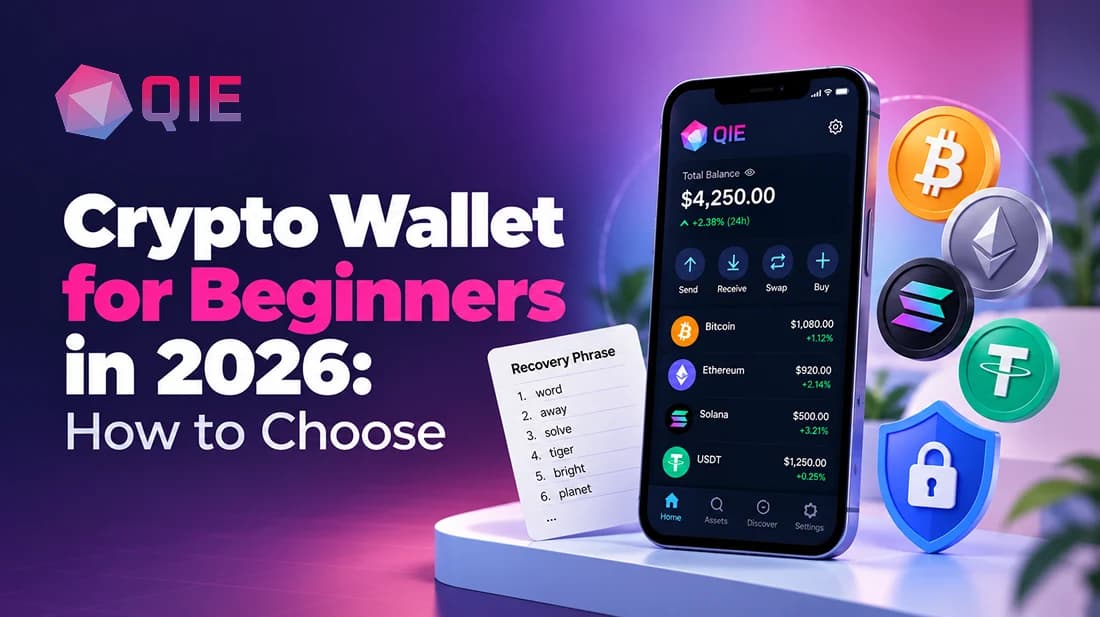
The best crypto wallet for beginners in 2026 comes down to four things: recovery phrase control, ease of use, self-custody, and multi-chain support.
Search “best crypto wallet 2026” and you’ll typically get a long list of wallets with a checkbox grid of features nobody asked for. No starting point, just options.
This guide starts with what to judge before you download anything, not after.
Quick Answer
Picking your first crypto wallet comes down to four things: recovery phrase control, ease of use, self-custody, and multi-chain support. This guide covers what to judge on each one before you download anything, not after.
Get these four right and the specific app matters less than most guides make it sound.
The Shortlist
- Recovery phrase: choose a wallet that makes the 12, 18, or 24-word phrase mandatory and clear during setup, not optional or buried in settings.
- Ease of use: you should be able to send, receive, and check your balance without learning what gas or gwei means first.
- Self-custody: you hold the keys, which cuts both ways, no one can freeze your funds, but no one can bail you out if you lose access either.
- Multi-chain support: one app that covers Bitcoin, Ethereum-compatible chains, and Solana or Tron saves you from juggling separate wallets later.
For most beginners, a mobile hot wallet like QIE Wallet checks all four boxes: a mandatory recovery phrase, a simple send/receive flow, full self-custody, and multi-chain support in one app. Add a hardware wallet later once your balance is worth protecting with a dedicated device.
What actually matters when you’re choosing your first crypto wallet?
Which specific app you pick first matters less than whether you understand four criteria, because every wallet on the market can be measured against them. If you want the fundamentals first, What Is a Crypto Wallet covers the basics.
1. Recovery
Your wallet gives you a 12, 18, or 24-word recovery phrase during setup, and that phrase is the only way back into your funds if your phone breaks or gets stolen. A wallet that makes this phrase confusing or optional will eventually cost someone money.
2. Ease of use
A beginner-friendly wallet lets you send, receive, and check balances without needing to understand gas fees, gwei, or nonce values on day one.
If the home screen looks like a trading terminal, it wasn’t built with a first-time user in mind.
3. Self-custody vs. custodial
A custodial wallet, where an exchange holds your keys, behaves very differently in a crisis than a non-custodial one, where you hold them yourself.
Self-custody means nobody can freeze your funds. It also means nobody can reset your password for you.
4. Why multi-chain support saves you a second wallet later
A first wallet that only handles Bitcoin or only handles Ethereum-based tokens will get you downloading a second app within a month, the moment you buy something on Solana or Tron.
Look for a single app that bridges multiple network standards, sometimes called a cross-chain wallet, so one login covers Bitcoin, Ethereum-compatible chains, and non-EVM networks like Solana without juggling three separate apps.
Should you start with a mobile hot wallet or jump straight to a hardware cold wallet?
Start with a mobile hot wallet, then add a hardware cold wallet once your holdings are worth protecting with a dedicated device. A hot wallet is an app on your phone or computer, connected to the internet, convenient for everyday sending and swapping.
A cold wallet is a physical device that keeps your private keys offline, safer for large amounts but overkill for a first fifty-dollar purchase.
Mobile wallets are portable and convenient for everyday use, while hardware wallets are among the most secure options but aren’t built for quick, on-the-go transactions. A hardware wallet you don’t understand yet is just an expensive way to lock yourself out.
Here’s a reasonable threshold: once your crypto holdings are worth more than you’d be comfortable losing in a phone theft, that’s your cue to add a hardware wallet as a second layer, not a replacement.
Keep the mobile wallet for daily use and swaps, like the ones available through QIE Wallet’s swap feature, and move long-term holdings to cold storage once the balance justifies it.
How to set up your first wallet in five concrete steps
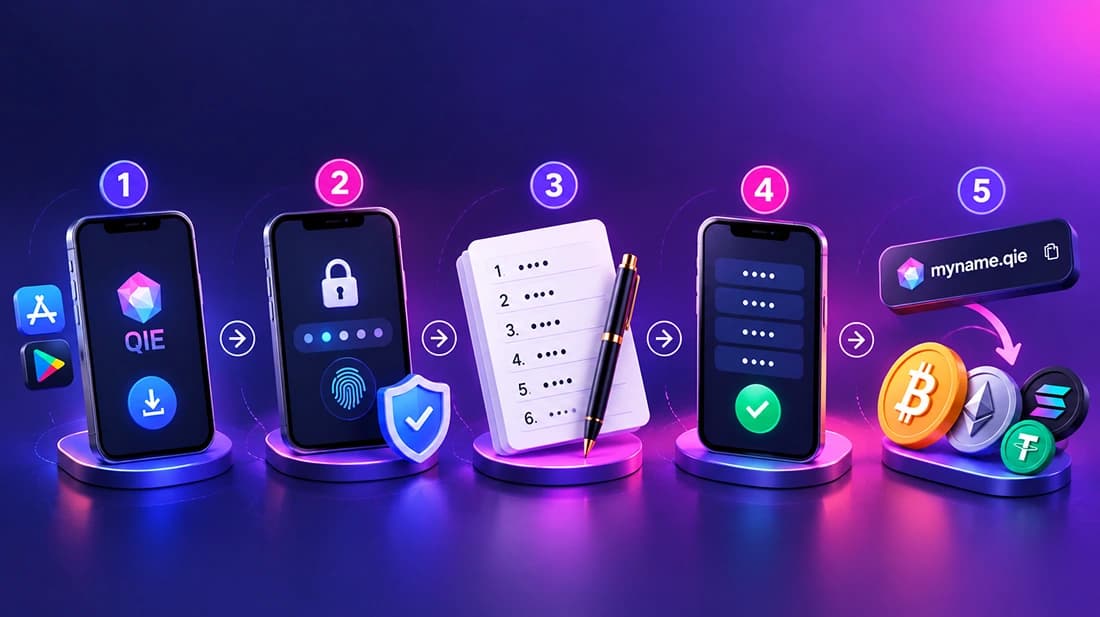
Setting up a first crypto wallet takes about ten minutes if you follow the sequence in order and don’t skip the recovery phrase step.
- 1Download the QIE app from the official app store listing. Never from a link sent to you in a message or email.
- 2Create your wallet and set a strong passcode, turning on biometric login if the app offers it.
- 3Write your recovery phrase down on paper. Not a screenshot, not a notes app, not cloud storage. This phrase is the only backup that exists, and if you lose it along with your device, the funds are gone for good.
- 4Verify the phrase when the app asks you to re-enter it, confirming you copied it down right the first time.
- 5Set up your wallet identity, for example a QIE ID through QIE Wallet’s system, which swaps a long string of random characters for something readable. Then test-send a small amount, a few dollars’ worth, before moving anything larger.
That last step is the one people skip most often, and it’s the cheapest insurance in the whole process.
Three critical mistakes beginners make and how to avoid them
The three most common and costly beginner mistakes are digital seed phrase storage, wrong-network transfers, and DM phishing. Each has a simple rule that prevents it.
Screenshotting the recovery phrase
It feels convenient in the moment, but phones sync photos to cloud backups automatically, and cloud accounts get breached. Write it on paper and keep that paper somewhere physical, away from any screen or account.
For the full rundown on keeping a recovery phrase and device safe long after setup, see our How to Store Crypto Safely guide.
Sending on the wrong network
Picture someone sending USDT expecting it to land on Ethereum, but they select the Tron network by mistake, and the funds vanish because the receiving wallet wasn’t set up for that chain.
This happens because most tokens exist on multiple networks under the same name and ticker. Always match the network on both the sending and receiving side before you confirm.
Trusting a direct message asking for your recovery phrase
No legitimate wallet, exchange, or support team will ever ask for your seed phrase, whether by DM, email, or phone call. Anyone who asks for it is trying to steal from you, full stop.
Why QIE Wallet makes sense as your first setup
QIE Wallet is a multichain wallet supporting over 1,000 coins and 400 dApps, built around a reusable decentralized identity called QIE ID. That identity layer is what separates it from most first-wallet options.
QIE Wallet is self-custody by default: your keys are generated on your own device and never touch QIE’s servers. QIE ID lets you verify your identity once and reuse it across partner exchanges, closer to a one-click Google sign-in than the repeated KYC forms most wallets require.
Coins across Bitcoin, Ethereum, Solana, and other chains, plus staking, live in one app instead of three, and every new domain and feature ships only after verification rather than getting rushed out the door.
One identity, one wallet, many chains: that’s the value beginners are actually looking for, even before they have the words for it.
QIE Wallet vs the traditional approach
| Feature | QIE Wallet | Coinbase | Trust Wallet | MetaMask |
|---|---|---|---|---|
| Recovery phrase handling | Standard 12/18/24-word phrase, generated and stored on-device only | Standard recovery phrase, tied to account recovery flow | Standard recovery phrase, stored on-device | Standard recovery phrase, stored on-device |
| Identity/KYC reuse | QIE ID lets one verified identity carry across partner exchanges | KYC stays inside Coinbase’s own ecosystem | No verified identity layer, naming only | No native identity layer, re-verify per exchange |
| Multi-chain support | Bitcoin, Ethereum-compatible chains, Solana, and other non-EVM chains in one app | Primarily exchange-linked wallet, narrower native multi-chain reach | Strong multi-chain and non-EVM support | EVM-first, broader chains via Snaps |
| Built-in staking/swap | Native staking and swap in the same app | Available through the exchange, less wallet-native | Swap available, staking more limited | Swap available via integrations, no native staking |
Conclusion
None of this requires becoming a crypto expert first. Judge any wallet on the same four things, recovery phrase handling, ease of use, self-custody, and multi-chain support, and the right choice becomes obvious for your situation.
Start with a mobile wallet, write your recovery phrase down on paper the day you create it, and test-send a small amount before moving anything larger. Those three habits alone prevent most of the losses beginners actually run into. The wallet you pick matters less than following that order.
Key Takeaways
- A first wallet earns its keep on four things: how it handles your recovery phrase, how simple it is day-to-day, whether you hold the keys, and how many chains it covers.
- Start on your phone for everyday use, and bring in a hardware device only once your balance is worth the extra step of protecting.
- Download, create, write the phrase on paper, verify it, set an identity, then send a small test amount first. That order catches most beginner losses before they happen.
- Screenshotted phrases, wrong-network sends, and phishing DMs account for most avoidable losses, and each one is stopped by a single habit.
- If repeated identity checks across every new platform sound exhausting, a multi-chain, identity-first wallet like QIE is worth weighing against Coinbase, Trust Wallet, or MetaMask.
Ready to set up your first wallet? Download QIE Wallet and create your QIE ID in a few minutes, then send a small test amount before moving anything larger.
Frequently Asked Questions
If it’s gone and you don’t have your device logged in anywhere else, your funds are unrecoverable. No wallet provider can reset it for you, since none of them keep a copy. Write it down twice, in two separate physical locations, the day you create the wallet.
Check the network shown in your wallet when you generate a receiving address, then match it exactly on the sending side. A token like USDT can exist on five different networks under the same name, and picking the wrong one usually can’t be undone.
No. Fees depend on the blockchain network you’re using rather than the wallet app itself, though some apps add their own swap markup on top. Compare the network fee shown before confirming, since it can swing from a few cents to several dollars depending on congestion.
For reasonable starting amounts, yes. A self-custody mobile wallet with keys stored only on your device, plus a passcode and biometric login, covers the realistic threats a beginner faces day to day. Add a hardware wallet once your balance grows past what you’d tolerate losing to a stolen phone.
Not if you start with a multi-chain wallet. An app that handles Bitcoin, Ethereum-compatible chains, and networks like Solana or Tron in one interface saves you from re-downloading and re-verifying every time you buy something new.
Only if you hand over the recovery phrase or approve a malicious transaction yourself. Legitimate support teams never ask for your seed phrase directly, so treat any message requesting it as an attempted theft.
Think of a hot wallet as your everyday checking account, connected and convenient, and a cold wallet as the safe deposit box you barely touch. Most beginners are better off starting hot and adding cold storage only once the amount at stake justifies the extra step.