Running a validator node involves setting up a server, configuring the required software and keeping the node online to help secure the blockchain. Validators can earn rewards but must also account for operating costs, uptime requirements and potential slashing penalties.
This guide covers QIE validator node requirements, setup steps, how rewards work, and how running a validator compares with delegating your stake.
Quick answer
A crypto validator is a node operator who verifies transactions and produces blocks. On QIE, you become one by setting up a node, creating a wallet, getting QIE and registering your validator. In short:
The Shortlist
- Hardware: Ubuntu 20.04 or 22.04, 4 CPU cores, 4 GB RAM and 200+ GB of storage.
- Software and network: Go 1.20 or higher, Git, jq and curl, a static IP, open TCP ports 26656 and 26657, and 24/7 uptime.
- Setup: install the node, initialize it, configure it, start it, create a wallet keypair, get QIE, register and verify.
- Rewards: block rewards, priority fees and a commission on delegators’ rewards, calculated every 24 hours.
- Risks: slashing for double signing, downtime that costs rewards, running costs and token price.
- Not ready to run a server? Delegate or stake from QIE Wallet instead.
What does a blockchain validator actually do?
A validator, running a crypto validator node, is an operator who verifies transactions, proposes blocks and keeps the network in consensus. In a delegated proof of stake (DPoS) chain, token holders stake behind validators, and the chosen set produces blocks. DPoS is a proof-of-stake variant where network users vote in delegates, also called validators, to verify and produce blocks.
QIE Blockchain is a layer 1 chain running Tendermint-based DPoS on the Cosmos SDK with EVM compatibility. Validators earn rewards for securing the network, and they can lose staked tokens if they act maliciously.
Validator vs delegator
| Validator | Delegator | |
|---|---|---|
| Runs a node | Yes, continuously | No |
| Technical skill | Linux, key management, monitoring | Wallet use only |
| Capital | Stake plus extra QIE for gas | Any amount you choose to delegate |
| Rewards | Block rewards, priority fees and commission | A share of staking rewards after the validator’s commission |
| Main risk | Slashing, downtime and running costs | Slashing if the validator misbehaves, and price risk |
If you never want to touch a server, the delegator column is yours. You can stake QIE from QIE Wallet without running the validator process.
Validator node requirements: hardware, software and stake
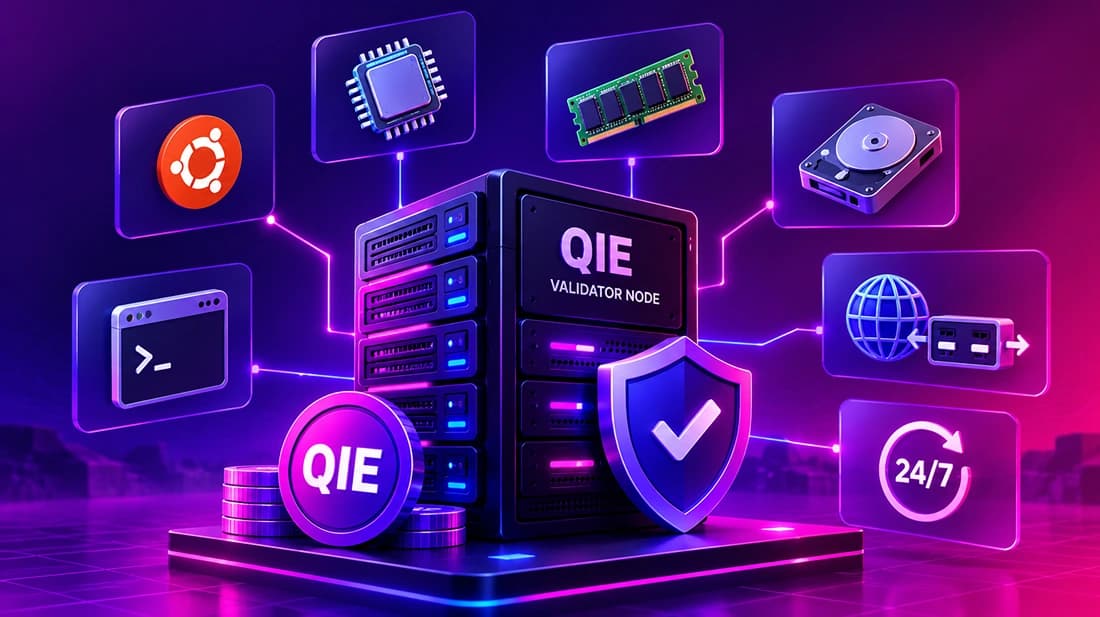
QIE’s system requirements page sets the minimum for a validator node.
| Component | Requirement |
|---|---|
| Operating system | Ubuntu 20.04 or 22.04 LTS |
| CPU | 4 cores (modern AMD or Intel) |
| RAM | 4 GB |
| Storage | 200+ GB |
| Software | Go 1.20 or higher, Git, jq and curl |
| Network | Static IP with open TCP ports 26656 and 26657 |
| Uptime | 24/7 availability |
That is a modest machine. Ethereum, by comparison, asks for 32 ETH and three separate pieces of software to run a validator, which shows how low the QIE hardware bar is.
How QIE compares with other chains
| Chain | What it takes to run a validator | Source |
|---|---|---|
| QIE | 4 CPU cores, 4 GB RAM, 200+ GB storage, a static IP and 24/7 uptime | QIE docs |
| Ethereum | 32 ETH and three separate pieces of software | ethereum.org |
| Solana | 12 cores and 24 threads at 2.8 GHz or faster, 1 TB for accounts, 1 TB for the ledger, 500 GB for snapshots, and a 2 Gbit/s network connection; voting can cost up to 1.1 SOL a day | Solana validator requirements |
Rehearse on testnet first
Get free test tokens from the QIE Testnet Faucet and check your node in the testnet explorer. You can rehearse the whole process with no capital at risk.
How to run a validator node on QIE, step by step
You provision a server, install and start the node, create a wallet, get QIE and register your validator. The steps below follow the official QIE guide, so treat its commands as the source of truth.
- 1Provision a server. Use Ubuntu 20.04 or 22.04 with at least 4 cores, 4 GB RAM and 200+ GB of storage. Choose a provider with stable uptime, since downtime costs you rewards.
- 2Install the QIE node. Install the dependencies, then the node software.
- 3Initialize the node. Create the configuration and keys.
- 4Configure the node. Set the network and peer settings from the docs.
- 5Start the node. Run it in a screen session or as a systemd service so it keeps running.
- 6Create a wallet keypair. Back up the recovery phrase offline before you do anything else.
- 7Get QIE coins. You need QIE for your stake and for gas fees.
- 8Register and verify your validator. Submit the registration, then confirm your validator appears and signs blocks.
The key commands
These commands come from the official QIE guide. Replace the example names with your own, and always check the docs for the latest version before you run anything.
Download and install the node binary:
cd $HOME
sudo apt-get install wget
wget https://github.com/qieadmin/qiev3-mainnet/releases/download/v3/qiemainnetv3.zip
unzip qiemainnetv3.zip
cd QIEV3Mainnet
rm -rf qied
wget https://github.com/qieadmin/qiev3-mainnet/releases/download/v4/qied
chmod +x qied
sudo cp -r ./qied /usr/bin
Initialize the node with the mainnet chain ID:
qied init --chain-id="qie_1990-1" validator --home "$HOME/.qieMainnetNode"Start the node in a screen session, then check that it is syncing:
sudo apt update
sudo apt install screen
screen -S node
qied start --home "$HOME/.qieMainnetNode"
curl localhost:26657/status
Create your wallet keypair:
qied keys add validator --home "$HOME/.qieMainnetNode"After you register, check that your validator is listed:
qied query staking validators --chain-id qie_1990-1 --node "tcp://localhost:26657"You can also see the public list at the QIE mainnet validators page. Between the init and start steps, the docs also have you replace the generated genesis.json, config.toml, client.toml and app.toml with the files from the QIEV3Mainnet folder, and set your validator name (moniker) in config.toml.
Commission settings
When you register, you set three commission values. The QIE docs example uses a commission rate of 0.1 (10% of delegator rewards), a maximum rate of 0.2 (20%, a ceiling you can never raise) and a maximum daily change of 0.01 (1%). Delegators compare these numbers when they choose a validator, so set them carefully.
What are validator rewards, and what are the real costs and risks?
Validator rewards come from three sources on QIE, per the reward system docs:
- Block rewards: paid when you propose and validate a block, from a fixed emission pool of 66 million QIE.
- Priority fees: part of each transaction fee goes to the validator who validates the block. The base fee is burned.
- Delegation commission: you earn a commission on the staking rewards your delegators generate.
Rewards are calculated and distributed every 24 hours. No earnings figure is promised here, and nothing below is financial advice.
How to estimate whether it pays
Work it out from your own numbers instead of from a headline rate. Your income is your share of block rewards, plus priority fees, plus your commission on delegators’ rewards. Your costs are the server, your time and monitoring. Your return also depends on your uptime and on the QIE price, and nobody can guarantee any of the three.
Here is a hypothetical break-even example, built only to show the maths. If your server and monitoring cost $60 a month and QIE trades at $1, you need about 60 QIE a month in rewards to break even. If QIE trades at $0.50, you need about 120 QIE. These numbers are illustrations, not forecasts.
Costs and risks
- Running costs: server rental, your time and monitoring effort.
- Slashing: double signing, which means signing two conflicting blocks at the same height, slashes both your coins and your delegators’ coins. QIE’s docs list a 5% penalty on total stake for double signing, and you may not be able to unjail. See the docs on slashing and jailing.
- Jailing for downtime: the most common problem. The docs list a 0.01% stake penalty and a 1-hour jail.
- Downtime: offline nodes miss rewards. On Ethereum, validators that go offline miss rewards and lose small amounts, while provable misbehavior is slashed.
What do you do if something goes wrong?
Most problems fall into three groups. Work through them in this order:
- The node is not syncing. Run
curl localhost:26657/statusand check the sync status. Confirm that your server is online and that ports 26656 and 26657 are open. - Your validator shows “Jailed”. Open the mainnet validators page, click your validator and read the status in the top-right corner. “Active” means it is in consensus, and “Jailed” means it is not.
- You need to unjail after downtime. Wait for the 1-hour jail period to pass, then send the unjail transaction below. Save the transaction hash, wait 5 to 10 minutes, and check the validators page again.
qied tx slashing unjail --from validator --chain-id qie_1990-1 --home "$HOME/.qieMainnetNode" --gas auto --gas-adjustment 1.5 --gas-prices 10000000000aqie --yesIf your validator was jailed for double signing, the docs warn that you may not be able to unjail, so treat that as the worst case and protect your keys from the start.
How do you keep a validator secure?
Most validator losses come from operational mistakes and not from attacks. A few habits cover most of the risk:
- Never run the same validator key on two machines. That is how double signing happens, and it is the offense QIE slashes.
- Back up your keys and recovery phrase offline, and never store them in a photo or a cloud note.
- Limit open ports. Expose only the ports the node needs, such as TCP 26656 and 26657, and keep the rest closed.
- Monitor uptime and disk space. A full disk or a crashed process means missed blocks.
- Keep the software updated using the QIE docs and announcements.
Conclusion
Becoming a validator means running a node reliably, protecting your keys and accepting slashing and downtime risk in exchange for rewards.
The QIE hardware bar is low, and the real requirements are uptime and discipline. If that does not suit you, delegating gives you a share of rewards without the server.
Key Takeaways
- A validator runs the node and signs blocks, and a delegator stakes behind one and runs nothing.
- QIE’s published minimum is Ubuntu 20.04 or 22.04, 4 cores, 4 GB RAM and 200+ GB of storage, with a static IP and 24/7 uptime.
- Rewards come from block rewards, priority fees and delegation commission, calculated every 24 hours.
- Slashing, downtime and token price are the real risks, and no APY figure covers them.
- With Linux skills and uptime discipline, run a node after a testnet trial. Otherwise, delegate from QIE Wallet.
Ready to start? Follow the QIE validator guide, and rehearse first with test tokens from the QIE Testnet Faucet.
Frequently Asked Questions
A validator is a node operator who verifies transactions and produces blocks to keep a proof-of-stake network secure. Validators put tokens at stake as collateral, which gives them a reason to behave honestly.
QIE’s system requirements page lists no minimum stake. Registration sets a minimum self-delegation value and your commission settings, so check the current figures in the registration guide and keep extra QIE for gas fees.
Yes, if it meets the minimum spec. QIE’s docs list Ubuntu 20.04 or 22.04, 4 CPU cores, 4 GB RAM and 200+ GB of storage, plus a static IP and 24/7 uptime. Pick a provider with stable uptime, since downtime costs you rewards.
Validators earn block rewards, priority fees and a commission on their delegators’ staking rewards. Rewards are calculated and distributed every 24 hours. Base fees are burned and do not go to validators.
No. You can stake QIE from QIE Wallet without running a validator, or delegate your QIE to an existing validator. You earn a share of rewards after the validator’s commission.
Slashing destroys part of the stake. On QIE, double signing, which means signing two conflicting blocks at the same height, slashes both the validator’s coins and its delegators’ coins. QIE’s docs list a 5% penalty on total stake for double signing. That is why key security and a single running node matter.
It lets you make mistakes for free. Say your registration fails because of a misconfigured key: on testnet you fix it with faucet tokens, while on mainnet you could be left with a half-configured stake.