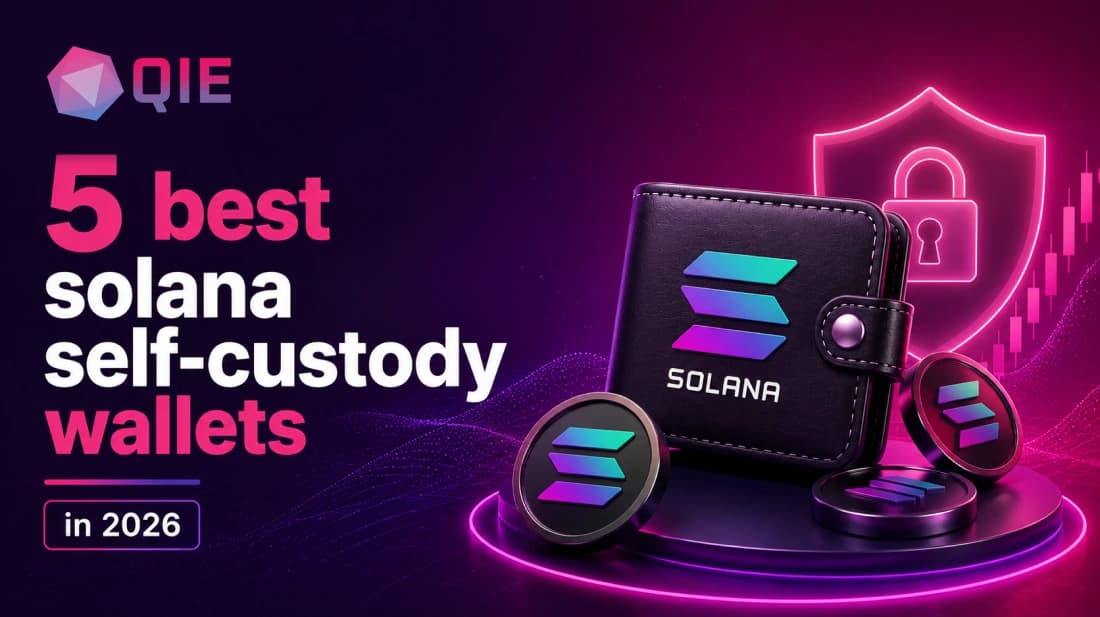
If you hold SOL or actively use Solana apps, choosing the right self-custody wallet can make a big difference. The best option depends on whether you prioritise everyday simplicity, staking, DeFi, NFTs, multichain support, or long-term security.
This guide compares five leading options: QIE Wallet, Phantom, Solflare, Backpack, and Ledger.
Quick Answer
Choosing a Solana wallet comes down to how you use your SOL. Here’s the quick breakdown:
| Wallet | Best For | Custody | Staking | Hardware Support |
|---|---|---|---|---|
| QIE Wallet | Multichain + identity | Non-custodial | Yes | No (software) |
| Phantom | Beginners, everyday Solana | Non-custodial | Yes | Ledger |
| Solflare | Staking, advanced Solana | Non-custodial | Yes (native + liquid) | Ledger, Keystone, Shield |
| Backpack | Power users, NFTs, xNFTs | Non-custodial | Yes | No |
| Ledger | Long-term cold storage | Non-custodial | Via paired wallet | Native (hardware) |
What Makes a Good Solana Self-Custody Wallet?
A good Solana self-custody wallet gives you complete private-key control, meaning no third party can freeze, move, or recover your funds.
Self-custody is the model where your device generates and stores the keys, and a BIP-39 recovery phrase is your only backup. From there, five concrete features separate strong Solana wallets from adequate ones:
- SOL and SPL token support: the Solana Program Library covers USDC, JitoSOL, and thousands of project tokens. A wallet that only shows SOL is incomplete.
- Staking: native delegation to validators, ideally with liquid staking options so your capital stays usable.
- dApp integration: connection to Solana’s DeFi protocols (Raydium, Orca, Jupiter) and EVM ecosystems for multichain users.
- NFT gallery management: clean display, spam-burn tools, and marketplace connections to Magic Eden and Tensor.
- Security model: transaction simulation before signing, hardware wallet pairing, and phishing detection.
- Platform availability: browser extension plus mobile (iOS and Android) covers most workflows, and web wallet access adds a useful fallback.
Hardware support is the one feature most people add too late. If your SOL holding crosses a threshold where losing it would genuinely hurt, a Ledger or Keystone pairing moves from optional to necessary.
5 Best Self-Custody Solana Wallets
1. QIE Wallet: Best for Multichain Holders Who Also Hold SOL
Platforms: iOS, Android, Chrome extension.
QIE Wallet is a non-custodial, multichain wallet designed to bring multiple assets and Web3 functionality into one application. It supports SOL alongside assets such as BTC and ETH and is positioned around a broader multichain experience.
One of its key differentiators is QIE ID, an identity layer designed to let users reuse verified identity credentials across participating partner dApps and services, reducing the need to repeat the same verification process.
QIE Wallet also offers QIE ID, which provides human-readable wallet identifiers that can make certain payment experiences simpler than manually entering long blockchain addresses.
Limitation: QIE Wallet is a multichain app, not a Solana-native one. Users who need Solana-specific staking dashboards or xNFT support should pair it with Solflare or Phantom for those workflows.
Verdict: The right pick for users holding SOL alongside other assets who want a single decentralized identity wallet that eliminates repeated KYC across partner services.
2. Phantom: Best for Beginners and Everyday Solana Use
Platforms: Chrome, Brave, Edge, iOS, Android.
Phantom is one of the most established wallets in the Solana ecosystem. It offers mobile apps and browser extensions and supports Solana alongside several other networks. The wallet covers common activities including sending, receiving, swapping, staking, NFTs and connecting to Web3 applications.
Its relatively simple interface makes it a natural starting point for users who are new to Solana.
Phantom can also connect to supported hardware wallets such as Ledger, allowing users to combine Phantom’s interface with hardware-based transaction signing.
Limitation: No native support for Arbitrum, Optimism, BSC, or Avalanche, so broader portfolios need a second wallet. The codebase is also closed-source, which limits independent review.
Verdict: The default starting point for anyone new to Solana, with the deepest dApp ecosystem recognition and the smoothest mobile experience of any software wallet in this category.
3. Solflare: Best for Staking and Advanced Solana Users
Platforms: iOS, Android, browser extension, web wallet.
Solflare is a self-custody wallet built specifically around the Solana ecosystem. It supports mobile, web and browser-extension access, along with staking, swaps, NFTs, Solana Pay and hardware-wallet integrations.
Staking is one of Solflare’s strongest areas, making it particularly relevant for SOL holders who want to manage their staking directly rather than through a centralised exchange.
Solflare also supports hardware wallets, giving users the option to add hardware-based transaction approval to their setup.
Limitation: Solana-only by native design. EVM dApp ecosystems require a separate wallet.
Verdict: The strongest staking experience on Solana, with the best hardware integration options for users who want depth over breadth.
4. Backpack: Best for Power Users, NFTs, and xNFTs
Platforms: iOS, Android, browser extension.
Backpack is a self-custody wallet supporting Solana and multiple EVM networks. It provides browser and mobile applications and includes features for staking, NFTs and multichain activity. The Solana wallet directory also lists hardware and multisig support for Backpack.
Its connection to the broader Backpack ecosystem makes it particularly interesting for users who want more than basic wallet functionality.
Limitation: The xNFT model rewards users who already understand DeFi. It’s not the gentlest on-ramp for newcomers.
Verdict: The most ambitious Solana wallet in 2026 for power users who live in NFTs and on-chain DeFi.
5. Ledger: Best for Long-Term SOL Storage
Platforms: Hardware device (Nano, Flex, Stax); pairs with Phantom and Solflare software.
Ledger takes a different approach from software wallets. Instead of keeping private keys on an internet-connected device, Ledger hardware wallets store them within the hardware signer and require physical approval for transactions.
Ledger supports SOL and SPL tokens and can be paired with its wallet application or compatible third-party interfaces.
The physical confirmation requirement adds protection against remote attacks because transactions must be approved on the hardware device.
Limitation: Every outgoing transaction requires physical device access, which slows frequent users. It’s not practical as a daily-use wallet on its own.
Verdict: Non-negotiable for holdings above a threshold where loss would be serious. Pair with Phantom or Solflare for the software layer.
Which Wallet Should You Choose by Use Case?
| Use Case | Best Pick | Why |
|---|---|---|
| Beginner entering Solana | Phantom | Fastest setup, clearest transaction previews |
| Staking SOL | Solflare | Validator dashboard, liquid staking, hardware support |
| DeFi trading | Backpack | xNFT apps, exchange integration, low-friction DeFi |
| NFT collecting | Backpack | Native NFT gallery management, collection locking |
| Multichain + identity | QIE Wallet | SOL + EVM + BTC, QIE ID eliminates repeated KYC |
| Long-term cold storage | Ledger | Keys offline, physical confirmation on every transaction |
Self-Custody vs. Exchange Wallets: When Each Makes Sense
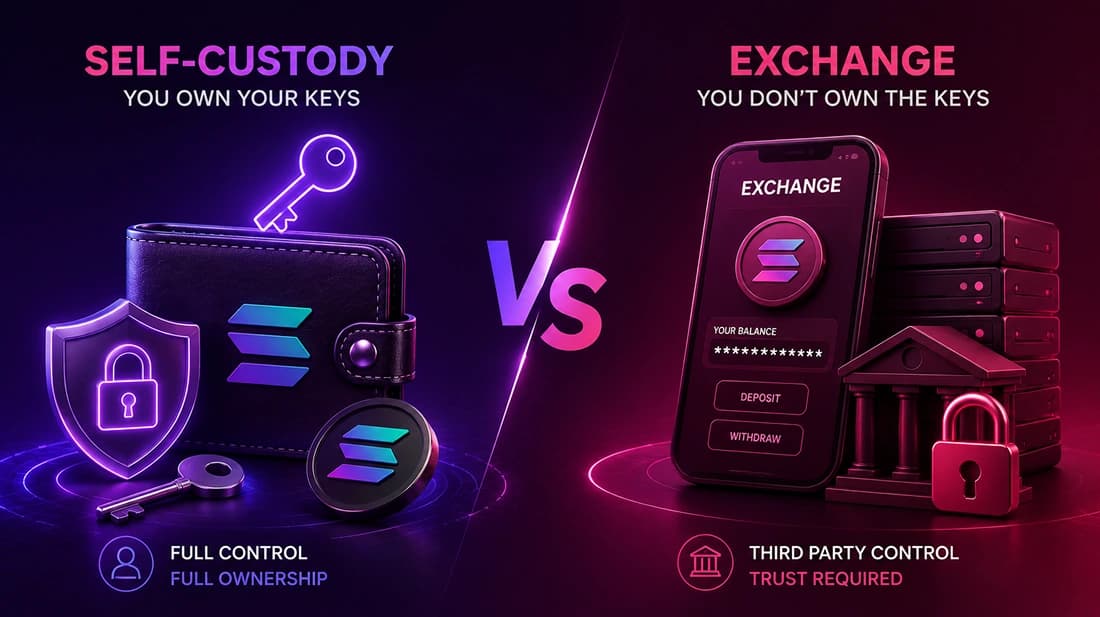
Self-custody means you hold the private keys. The exchange cannot freeze your SOL, and no platform insolvency can reach it. The cost is that you own every mistake: a lost recovery phrase, an approved phishing transaction, a wrong address.
Survey data on self-custody adoption consistently shows a gap between stated concern and actual behavior: a large share of crypto holders say they worry about exchange security, yet most still keep their assets on centralized platforms. That gap usually closes after someone experiences an exchange freeze firsthand.
FTX demonstrated the stakes clearly: exchange balances are unsecured claims, and when a platform goes insolvent, those claims can be worth far less than the crypto users thought they held. The practical decision framework:
- Active trading, small amounts: exchange wallets are fine. Liquidity is instant, and the risk is proportional to the balance.
- Holding SOL you wouldn’t want to lose: self-custody, full stop. The FTX collapse illustrated the risks of leaving assets with a failed centralized platform; customers can become creditors in insolvency proceedings rather than retaining direct control of their assets.
- DeFi, staking, NFTs: self-custody is required. Exchanges cannot connect to on-chain protocols.
Many holders settle on a hybrid: long-term reserves in self-custody, a smaller operating balance on an exchange for liquidity. That’s the correct architecture for most people, not a compromise.
How to Choose and Secure a Solana Wallet
Start with custody and token support. Confirm the wallet handles SPL tokens natively, not just SOL. Then check dApp compatibility: does it appear in the connect modal of the protocols you actually use? Run that check on your own shortlist before taking anyone’s word for it.
Recovery Phrase Setup
Write your 12-to-24-word BIP-39 phrase on paper, store it offline in two separate locations, and never photograph it. In self-custody, you sign transactions yourself, which makes you the last line of defense against phishing sites, malicious approvals, and address-poisoning scams.
Phishing and Malicious Transactions
The most common loss isn’t a wallet hack. It’s a user approving a transaction they didn’t read. Use wallets with transaction simulation (Phantom’s Blockaid integration, Solflare’s preview layer) and treat any unsolicited DM with a link as a drain attempt.
Hardware Security Decision
If you’re holding or staking an amount of SOL where a loss would be financially significant, a hardware wallet paired with Phantom or Solflare keeps your private keys off the internet entirely, protecting you from malware that a software-only setup can’t stop.
Solana Wallet Security Checklist
Self-custody gives you control, but security ultimately depends on how you manage that control.
- Never share your recovery phrase or private key.
- Never enter your recovery phrase into a website or send it to someone claiming to be support.
- Write your recovery phrase down and store it offline in a secure location.
- Never photograph or store your recovery phrase in cloud notes.
- Check the domain before connecting your wallet to a dApp.
- Review transaction details before approving them.
- Consider a hardware wallet for larger long-term holdings.
- Test with a small amount before transferring a significant balance.
Conclusion
There’s no single best Solana wallet for everyone. Phantom is a strong choice for everyday use, Solflare for staking, Backpack for NFTs and DeFi, and Ledger for long-term hardware security.
QIE Wallet is particularly suited to users who want to manage SOL alongside assets on other networks with integrated identity features.
Key Takeaways
- Choose based on your Solana workflow: beginners, stakers, NFT collectors, DeFi users and long-term holders have different needs.
- Phantom: a strong starting point for everyday Solana use and beginners.
- Solflare: best suited to users who prioritise staking and deeper Solana tooling.
- Backpack: a strong option for NFT collectors and power users interested in advanced Web3 applications.
- Ledger: best suited to users prioritising hardware-based security for long-term holdings.
- QIE Wallet: a strong option for users who hold SOL alongside BTC, ETH and other assets and want multichain and identity features in one wallet.
- Consider a hybrid setup: a software wallet can handle everyday activity while a hardware wallet can protect larger long-term holdings.
Hold SOL alongside BTC, ETH and other assets in one self-custody wallet. Explore QIE Wallet’s multichain and identity features and see if it fits your Web3 workflow.
Download QIE Wallet and get started today.
Frequently Asked Questions
For long-term storage, a properly configured hardware wallet such as Ledger can provide an additional layer of protection because private-key signing takes place on the device. For everyday activity, a reputable software wallet such as Phantom, Solflare or QIE Wallet can be more convenient.
QIE Wallet is particularly relevant for users who want to hold SOL alongside BTC, ETH and other assets in a multichain self-custody wallet. Its QIE ID identity layer is designed to let users reuse verified identity credentials across participating partner dApps and services, reducing the need to repeat the same verification process.
Yes. Phantom supports compatible hardware wallets, including several Ledger models. This allows users to use Phantom’s interface while keeping private keys on the hardware device.
Yes. Several wallets support Solana alongside other networks. QIE Wallet is particularly suited to users looking for a multichain setup, while Phantom and Backpack also support multiple networks.
You don’t have to use two wallets, but a combination can make sense. A software wallet can handle everyday transactions, swaps and dApp activity, while a hardware wallet can provide additional protection for larger long-term holdings.
It depends on the wallet’s recovery model. For wallets using a recovery phrase, the phrase can be used to restore access to the wallet. If the recovery credentials are permanently lost, access to the wallet may also be lost. Never share your recovery phrase with anyone.